Creating !blog - Free, Serverless, but not Self-Hosted
Learn how I host this blog using Cloudflare Serverless Workers for free, and why I chose Cloudflare over self hosting or other platforms.
Contents5 sections ▾
- This blog is Markdown in a Git repo, built into static HTML, CSS and images by Astro
- Cloudflare builds the repo on every push and serves the files
- Readers are served those static files at blog.davidallada.com completely for free
Q: Why Not Self-Hosted?
A: The un-authenticated public shall not reach my homelab or the network it sits in. This is purely a security choice out of an abundance of caution. When I do expose a service to the internet, I use Cloudflare’s Application security features so that only I can reach it through the Cloudflare Tunnel. These can be a combination of requiring the user to authenticate their Google account, whitelisting the source IP, or using a Cloudflare Access token. A public blog is exactly the thing that should not require any of that, so it does not get to live behind the tunnel.
Choosing a Platform
As I was evaluating which platform I would use to host this blog, I had a few requirements in mind:
- Free. No explanation needed
- No no-code platforms, such as Medium, Blogger, or WordPress. I wanted to own the content and the platform
- There had to be a way to fully automate deploying new content
The Main Candidates
| Host | Free Tier | Pros | Cons |
|---|---|---|---|
| Cloudflare Workers, static only | Unlimited static file requests; Worker invocations capped at 100k/day | Static assets never count against the cap, so a prerendered site costs nothing no matter the traffic; Workers Builds renders an Astro site straight from the git repo on every push | Static only: no server-rendered pages, forms, or per-request logic without the site becoming metered Worker requests |
| Cloudflare Pages | Same static serving; 500 builds a month | Same free serving, git-connected builds out of the box | Being deprecated in favor of Cloudflare Workers |
| GitHub Pages | About 100 GB of bandwidth a month, softly enforced | Zero setup if the code is already on GitHub | Free accounts need a public repo; GitHub may stop serving and email you if you exceed the soft limit |
| AWS S3 + CloudFront | 100 GB out a month on the free plan | Infinitely flexible, industry-standard tooling | The 12-month S3 free tier ended in 2025 and is credits now; overages bill with no ceiling |
Cloudflare Workers was a no-brainer for me. I already use Cloudflare for my domains, Cloudflare Tunnels, and DNS. Adding Cloudflare Workers let me integrate everything seamlessly, the free tier is essentially unlimited for my static use case, and I can use Astro to build the static files from a private GitHub repo. The main downside is that I cannot have any per-request logic, such as comments or logins, without the site becoming metered. I am okay with this tradeoff for now, but if I ever need to add per-request logic, I will have to accept working within the free tier of Cloudflare Workers, move to a paid plan, or move to a different platform entirely.
How the Repo Is Set Up
The whole thing is one private GitHub repo. There are no GitHub Actions, no deploy scripts, and no server config anywhere in it:
davidallada.com/
├── blog/                       # the Astro project behind blog.davidallada.com
│   ├── astro.config.mjs        # site URL, MDX, sitemap, fonts, syntax theme
│   ├── wrangler.jsonc          # the Cloudflare config, quoted below
│   ├── package.json            # dev / check / build / preview scripts
│   ├── public/                 # copied into dist/ as-is (favicons)
│   └── src/
│       ├── content.config.ts   # the frontmatter schema every post is validated against
│       ├── content/blog/       # the posts. one .mdx file, or a folder with its assets
│       ├── components/mdx/     # Callout, Steps, Figure, Video... the building blocks
│       ├── layouts/            # the post page template
│       ├── pages/              # index, /blog, /tags, /series, rss.xml, 404
│       ├── assets/             # fonts, animations, diagrams
│       └── data/               # hand-maintained lists: series, topics, lab inventory
├── site/                       # reserved for davidallada.com itself, empty today
├── docs/                       # dev workflow and architecture decision records
└── .devcontainer/ # Node 24 container so the toolchain is the same everywhereThere are some important notes about file paths and naming:
- Each post is a single .mdx file (or a folder with an
index.mdx, when the post has clips or images of its own). The post you are viewing right now is under the pathblog/src/content/blog/creating-not-a-blog/index.mdx. When rendered, it becomes the page you are looking at:blog.davidallada.com/blog/creating-not-a-blog/ - The .mdx file frontmatter is directly translated to the post. I must define specific keys in the frontmatter for each blog post file to properly populate the metadata that will be rendered later. For example, here is the frontmatter for this post. You can see the corresponding values at the top of this post.
---
title: 'Creating !blog - Free, Serverless, but not Self-Hosted'
description: 'Learn how I host this blog using Cloudflare Serverless Workers for free, and why I chose Cloudflare over self hosting or other platforms.'
pubDate: '2026-09-20'
draft: true
tags: ['meta', 'cloudflare']
---Configuring Cloudflare Workers
There are two pieces of configuration I have to do in Cloudflare to set up the Worker: create the config file in the repo that tells Cloudflare where to find the static files, and then set up the Worker config in the Cloudflare dashboard.
First up is creating the config file: wrangler.jsonc. This file tells the Cloudflare Worker where to find the static files, and what to do when a file is not found. The config file is as follows:
{
	"name": "blog",
	"compatibility_date": "2026-09-05",
	"assets": { "directory": "./dist", "not_found_handling": "404-page" },
	"routes": [{ "pattern": "blog.davidallada.com", "custom_domain": true }],
}
The second step is to create the Worker in the Cloudflare dashboard, connect it to the GitHub repo, and fill in five fields:
The root directory matters because the Astro project is not at the repo root; without it the build fails because it finds no package.json. The two deploy commands are what make pull requests useful: a push to main builds and promotes, while a push to any other branch builds and uploads a version without promoting it, and Cloudflare comments the preview URL on the PR.
Adding a Post, End to End
Here is what actually happens when I publish something, this post included.
- 01Branch and write
Everything starts on a branch off
main.mainis the deployed site, so nothing lands there without a pull request.git checkout main && git pull git checkout -b post/creating-not-a-blogThe post is a new file in
blog/src/content/blog/. The frontmatter at the top is the only metadata the site needs:blog/src/content/blog/creating-not-a-blog/index.mdx --- title: 'Creating !blog - Free, Serverless, but not Self-Hosted' description: 'Learn how I host this blog using Cloudflare Serverless Workers for free...' pubDate: '2026-09-20' draft: true tags: ['meta', 'cloudflare'] ---Every post usually starts as a draft, which hides it from the built site. I flip it to
draft: falsewhen the post is ready to publish. - 02Preview it locally
The dev server hot-reloads on every save and shows drafts with a banner at the top.
cd blog
npm run dev          # http://localhost:24321/blog/creating-not-a-blog/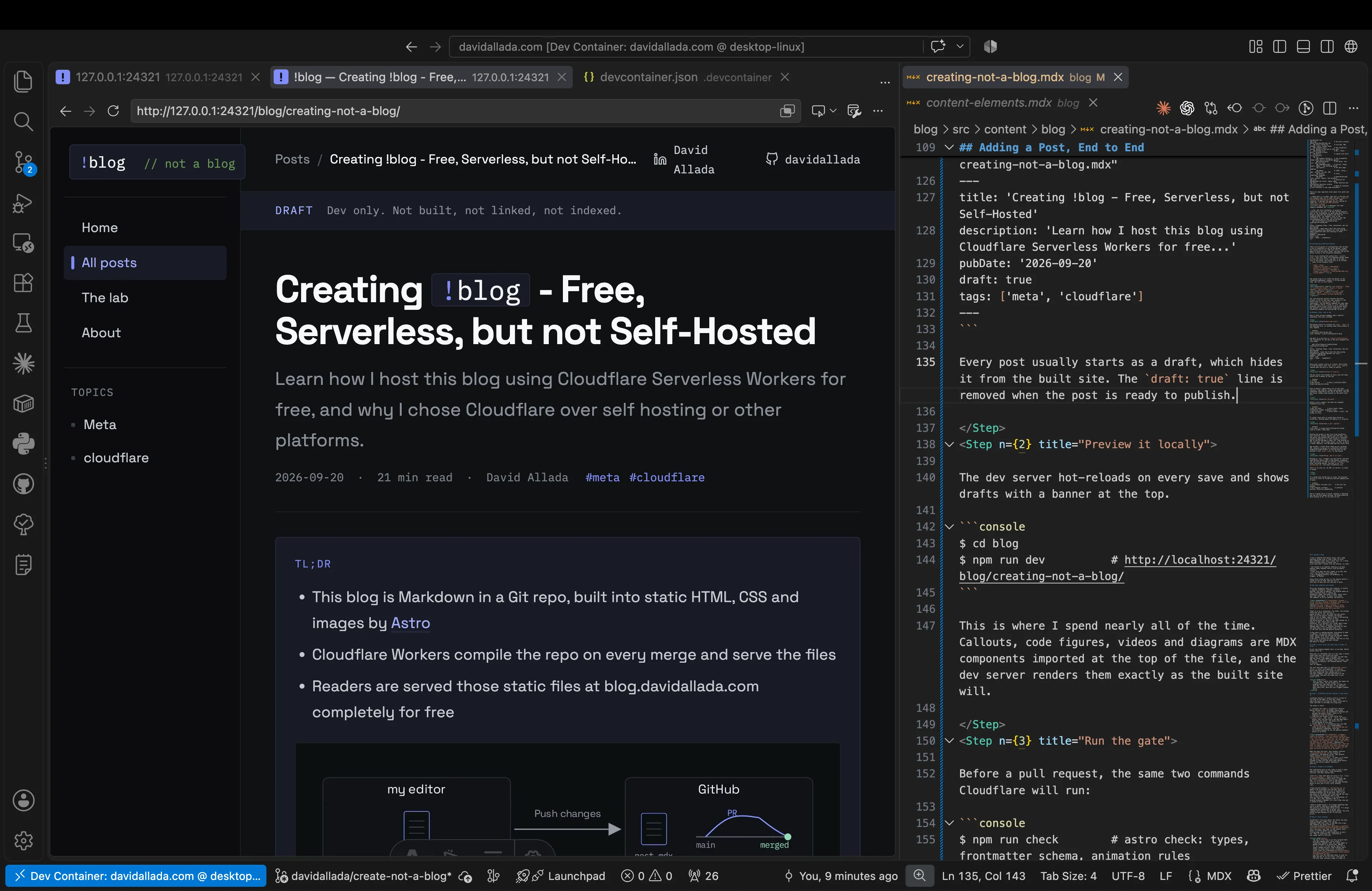
Because everything is static files, previewing the whole blog locally is instant. Changes are auto-reloaded too, so it feels very snappy.
- 03Run the gate
Before a pull request, the same two commands Cloudflare will run:
npm run check # astro check: types, frontmatter schema, animation rules npm run build # astro build -> dist/, the folder of filesIf either fails here it would have failed on Cloudflare. Nothing about the deploy is a surprise.
- 04Open a pull request
git push -u origin post/creating-not-a-blog gh pr create --base mainPushing the branch gets me a preview on the real edge, not a local server, so this is where I check redirects, the 404 page and the social card. It is also the first time Cloudflare gets involved: Workers Builds sees the push, runs the build, and uploads the result as a version without promoting it. It then comments the preview URL on the PR and adds a check run.
One wrinkle: a draft never shows up on a preview URL, because a preview is a production build and production hides drafts. To see the post on the preview I flip
draft: falseon the branch. - 05Merge, and it is live
Merging to
maintriggers one more build, and this time Workers Builds runs a real deploy, promoting the new version to 100% of traffic. A minute or two after the merge button, the post is atblog.davidallada.com.There is no step six. No SSH, no restart, no cache to purge.
That’s it! The whole process is fully automated, and the only thing I have to do is write the post. The rest is handled by Cloudflare Workers and Astro. Tune in for more posts going forward, and if you have any questions about the setup, feel free to reach out to me on LinkedIn.